
Introduction
Tropical Resort Simulator is a casual resort management game where you take over a small paradise island and begin turning it into a working beach resort. You start with very little, a messy beach, basic equipment, and the wonderfully questionable guidance of Uncle Joe.
In my first gameplay session, I went in completely blind. I had not played the game before, so this guide is based on those early tutorial moments, first impressions, and the opening gameplay loop. The game quickly introduces cleaning, equipment placement, cooking, guest management, upgrades, and resort opening systems.
The overall feel is cosy, slightly chaotic, and surprisingly hands-on. It looks like a simple beach resort game at first, but there is more going on than I expected.
What Is Tropical Resort Simulator?
Tropical Resort Simulator is a beach resort management game where you build and run a tropical island business. The early game focuses on preparing your resort for guests by cleaning rubbish, removing old structures, setting up beach equipment, cooking food, and learning how to serve visitors.
From the opening tutorial, the game introduces several resort systems, including guest reactions, prestige, money, food, cocktails, activities, souvenirs, and sleeping places. At the beginning, your resort has none of these things available, so your first job is to get the island ready before the first guests arrive.

Key Information
| Feature | Details |
|---|---|
| Game | Tropical Resort Simulator |
| Also shown as | Paradise Beach Simulator |
| Genre | Casual, Simulation, Management |
| Developer | Beardroid Games |
| Publisher | Beardroid Games |
| Platform played | Steam |
| Main gameplay style | Resort management, cleaning, cooking, guest service, upgrades |
| Best for | Cosy management fans, casual simulator players, beach resort builders |
| Review copy | Provided through Keymailer |
Starting Your Resort
At the beginning of Tropical Resort Simulator, you arrive on the island and meet Uncle Joe. The resort is not ready for guests yet, but the island is expected to open the next day, which means the tutorial immediately sends you into preparation mode.
The first few moments introduce basic controls, movement, the island layout, and the resort interface. You can see useful information such as money, guest reactions, prestige level, the current day, and different resort availability categories.
The starting resort is very basic. You have no food, no cocktails, no activities, no souvenirs, and no sleeping places. This gives the early game a clear structure: clean first, build second, serve guests third.
Cleaning the Beach
One of your first proper jobs is cleaning rubbish from the beach. You pick up trash from around the resort and then send it away using the trash boat.
The cleaning system is simple but satisfying. You collect rubbish, carry it to the boat, throw it in, and then send the boat away. The game does warn you that sending garbage away costs money, so cleaning is not just decorative. It is part of your early business management.
This works well as an opening task because it makes the island feel like something you are gradually reclaiming. You are not just clicking through menus. You are physically walking around the beach and clearing space for the resort.
Removing Old Buildings
After cleaning, the tutorial gets slightly more chaotic. Uncle Joe gives you explosives and asks you to blow up old buildings so the resort can be ready for opening.
This was one of the funniest early moments because the game suddenly switches from peaceful beach cleaning to sticking explosives onto a wall and running away. If you do not move back quickly enough, you can get caught in the blast area, which makes Uncle Joe feel less like a calm tutorial guide and more like a tropical hazard in sandals.
It is silly, unexpected, and gives the tutorial more personality than a plain instruction screen.
Buying Your First Beach Equipment
Once the area is cleared, the next step is ordering beach equipment through the resort computer. The early order includes:
| Item | Purpose |
|---|---|
| Beach towels | Gives guests somewhere to relax |
| Beach cabin | Lets guests change near the towel area |
| Fountain | Adds early resort decoration or utility |
The computer also shows that there are several management tabs, including levels, orders, improvements, prices and trends, employees, and schedules. This suggests the game has a wider management system underneath the cosy beach setting.
During the first tutorial, you can see that levelling up unlocks more recipes and objects. Early examples include grilled coconut shrimp and coconut water. There are also improvements, port expansions, employee options, and guest schedule settings.
Placing Beach Equipment
After buying your first equipment, you collect the order from the boat and place the items around the beach. Placement uses rotation controls, so you can position objects how you want them.
The beach cabin should be placed near the towels so guests do not have to walk too far to change. This is a small detail, but it makes the game feel more like a management sim rather than just a decoration game.
The placement system is easy enough to understand, though it may take a moment to get used to selecting, rotating, and confirming objects. It gives you enough control to create a beach area that feels organised without making the tutorial too complicated.
Cooking Food for Guests
Food preparation is one of the more detailed early systems. Uncle Joe asks you to collect a coconut, fish for shrimp, cut the coconut on the chopping board, and cook grilled coconut shrimp.
The cooking system was more hands-on than I expected. You do not just click one button and magically create food. You gather ingredients, prepare them, use the recipe book, cook the dish, and plate it up.
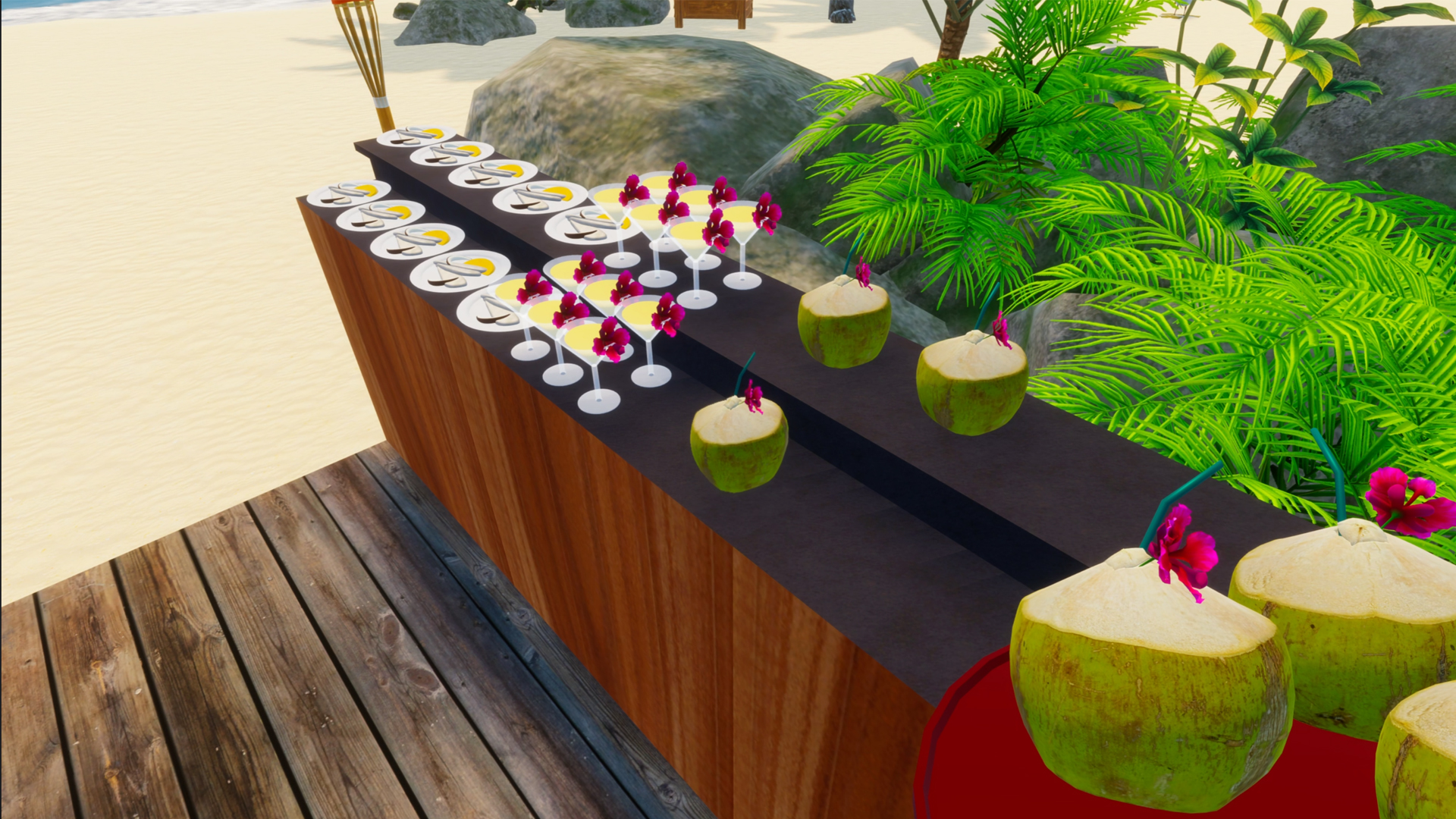
The first dish I made was grilled coconut shrimp. Once cooked, the food can be placed on the counter for customers to help themselves. This gives the game a nice cosy cooking-game feeling alongside the resort management.

Trending Dishes and Bonuses
Before opening the resort, the game introduces trending dishes. These are items that can sell for more, give more hype, and provide a satisfaction bonus.
In the tutorial, trending dishes are shown through the computer. The example explains that certain items can sell for two times more, grant two times hype, and provide a satisfaction bonus.
This is a good management detail because it gives players a reason to check trends before preparing food. Rather than making random meals, you can focus on items that are currently more valuable.
Opening Paradise Beach
After setting up the beach area, preparing food, and checking the trends, you can sleep and move to the next day. The game then tells you to open the island by activating the resort sign.
Once the resort opens, guests arrive in small groups by boat. This was one of the best early moments because the resort instantly feels more alive. Visitors use the activities you placed, eat the food, ask for help, and pay for what they use.
The tutorial explains that guests will call when they need you. You need to set them up on towels, prepare food, buy equipment to entertain them, and cash them out to earn money.
Managing Your First Guests
Guest management quickly becomes the main gameplay loop. Once visitors arrive, you need to watch what they are doing and respond to their needs.
Early guest tasks include:
| Task | What You Need To Do |
|---|---|
| Activity payment | Cash guests out after they use activities |
| Food service | Keep food available on the counter |
| Cleaning | Use the broom when mess appears |
| Toilets | Buy and place a portaloo when guests need the bathroom |
| Resort layout | Keep important facilities close enough for guests |
The first opening day becomes busy quite quickly. Guests want towels, food, toilets, clean spaces, and payments. It is not stressful in a harsh way, but it does become a little chaotic, which makes the resort feel active.
Beginner Tips for Tropical Resort Simulator
1. Clean before placing equipment
Before placing towels, cabins, or decorations, clear the area first. This makes it easier to see where everything should go and stops your beach area from feeling cramped.
2. Keep useful items close together
Place your beach cabin near the towels, and keep guest facilities easy to reach. The tutorial specifically points out that customers should not need to walk too far to change.
3. Check the computer regularly
The resort computer is important. It is where you order equipment, look at levels, check trends, review improvements, and manage wider resort systems.
4. Watch guest needs carefully
Guests do not just exist in the background. They use activities, eat food, want toilets, and need to pay. Keep an eye on them so you do not miss easy money.
5. Buy a toilet early
One of the first guest problems is needing the bathroom. A portaloo solves this quickly, so it is worth buying and placing one as soon as the need appears.
6. Find the broom
Mess needs cleaning, and the game requires a broom for that. Once guests start eating and using the resort, cleaning becomes part of the daily routine.
7. Use trends to guide food choices
Trending dishes can offer better rewards, so check them before cooking. This can help you make more money and improve guest satisfaction.
8. Do not rush too much
Although time passes, the tutorial pace feels fairly relaxed. You can prepare the resort, place items, and learn the systems without feeling under constant pressure.

What I Liked
Tropical Resort Simulator made a good first impression because it feels cosy but not empty. There are enough jobs to keep you busy, and the tutorial introduces systems in a steady way.
I especially liked:
| Feature | Why It Worked |
|---|---|
| Hands-on cleaning | Makes the island feel like it is improving through your work |
| Guest arrivals | Seeing boats bring people in makes the resort feel alive |
| Cooking system | More detailed than expected, with gathering, chopping, cooking, and plating |
| Resort computer | Shows there are deeper systems beyond the tutorial |
| Cosy pacing | Busy enough to be interesting, but not overwhelming |
| Uncle Joe | Slightly chaotic tutorial energy, in the best way |
Things To Keep In Mind
This first look was based on early gameplay, so I have not seen everything the game offers yet. The tutorial suggests there are more systems to unlock, including extra recipes, objects, improvements, employee options, schedules, and further resort progression.
There were also a few moments where I was still learning the controls, especially with object placement and working out where certain tools were. That is normal for a first session, but it is worth mentioning if you prefer games that explain every detail instantly.
Is Tropical Resort Simulator Cosy?
Yes, based on the first session, Tropical Resort Simulator definitely feels cosy. It has a relaxed beach setting, gentle management tasks, cooking, decorating, cleaning, and guests arriving by boat.
It is not a completely idle cosy game, though. You still need to pay attention, manage guests, clean mess, prepare food, and respond to needs. That makes it a good fit if you enjoy cosy games with actual tasks rather than purely decorative gameplay.
By the end of the first video, I wanted to play more. The game had already shown enough of its systems to make me curious about how the resort grows over time.
Final Thoughts
Tropical Resort Simulator is a charming beach resort management game with a surprisingly active early gameplay loop. The first tutorial session covers cleaning, placing beach equipment, cooking coconut shrimp, checking dish trends, opening the resort, and serving the first guests.
The game starts simple, but there are clear signs of deeper management through upgrades, levels, employees, schedules, and guest systems. If you enjoy cosy simulation games, resort management, cooking tasks, and slowly building a business from nothing, Tropical Resort Simulator is worth keeping an eye on.
I will definitely be playing more, because Paradise Beach has already created enough chaos, charm, and suspicious Uncle Joe decisions to pull me back in.
Leave a Reply